Botmotive now checks the signatures of AI agents and spots agents driving real browsers
AI agents that sign their requests are checked against their published keys, and an optional WordPress beacon picks out agents that look like people in your logs.
SACRAMENTO, Calif.,
What is new
Botmotive now shows site owners two kinds of AI agent that server logs usually miss. Agents that sign their requests with Web Bot Auth are checked against their operator’s published keys and listed as verified bots. On WordPress, an optional page beacon flags visitors that run a real browser but click and type like software. Both are included on every plan, Free included.
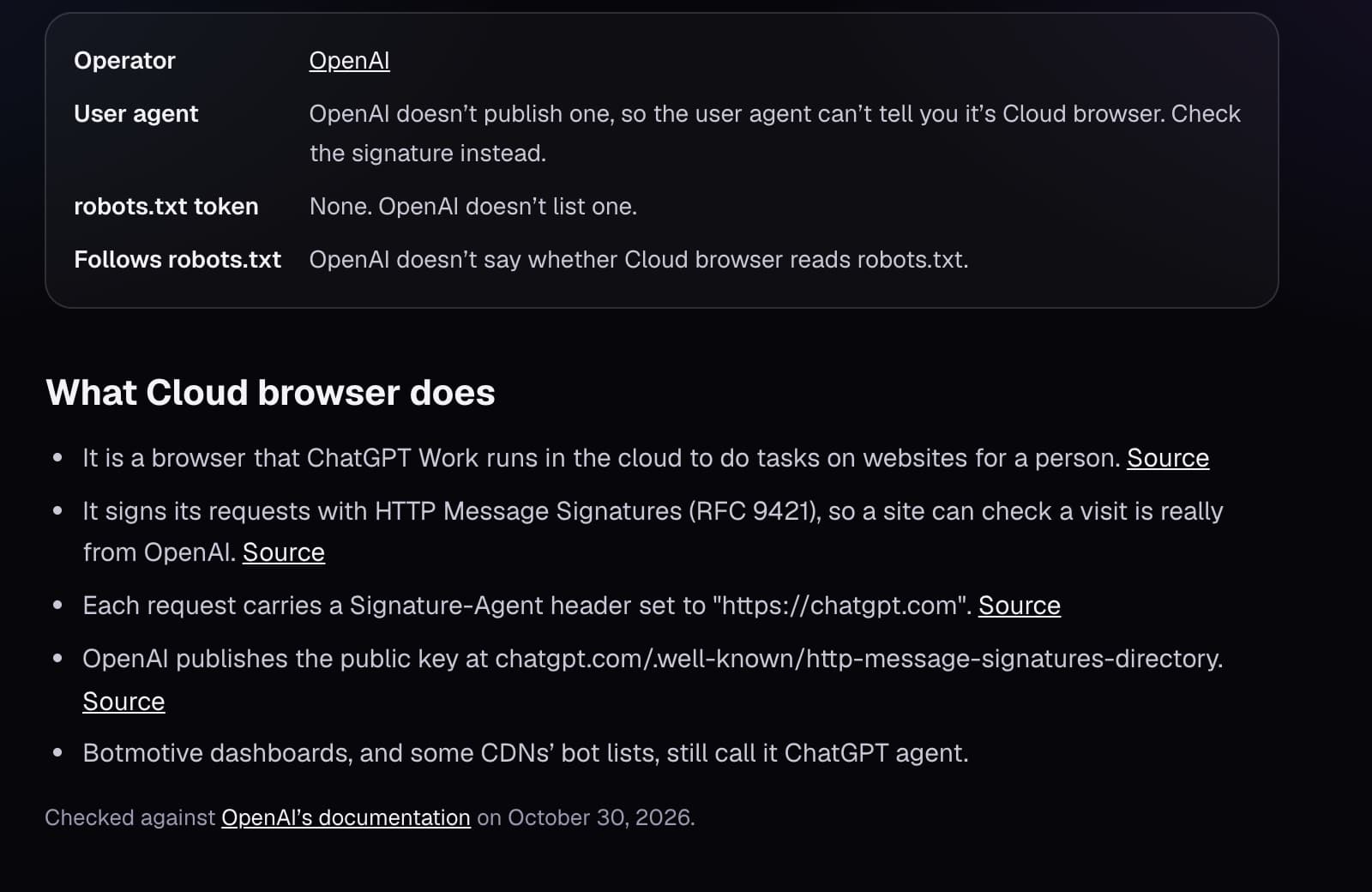
AI agents increasingly work through a browser of their own. OpenAI’s ChatGPT agent, for example, runs in a cloud browser, and agentic browsers drive the same Chromium a person uses. In a log they carry an ordinary browser user agent, so a tool that sorts traffic by user agent counts them as people.
Signed agents, checked against their keys
Web Bot Auth lets an agent sign each request with HTTP Message Signatures (RFC 9421) and publish its public keys on its own domain. Botmotive fetches those keys, checks the signature and marks the bot “Signed by” that domain in the dashboard. OpenAI signs its cloud browser requests as chatgpt.com, and the bot directory explains how to check one by hand.
A signature only counts on the site it was made for, and one that claims to stay valid for more than an hour is refused, so a captured signature can’t be replayed elsewhere or kept for later.
Signature headers reach Botmotive through the WordPress plugin, the Node.js, Django and Laravel guards, Fastly, the log shipper for nginx, Apache and Caddy, and Cloudflare log drains once the three signature headers are added as custom fields, as the Cloudflare guide shows. Vercel and Railway log drains don’t include them.
A beacon for agents in real browsers
Many agents don’t sign anything. For WordPress sites, the plugin can add a small script to each page, turned on with the “AI agents in browsers” setting. It is off by default and never loads for signed-in users.
The beacon counts clicks, key presses and pointer movement. It also notes events sent by a script rather than a hand, clicks with no pointer movement before them, typing at a machine-even pace, a window with no size and a browser that reports it is automated. It never sends what was typed, which keys were pressed, form values or page content. The full list is in What Botmotive collects and keeps.
Visitors the beacon catches appear under “Possible AI agents in browsers” in the dashboard, with the reasons. A beacon is a hint, not proof, so Botmotive offers no fixes for them. Beacon reports are kept for 35 days.
Availability
Signature checks work today for every site whose log source carries the headers. The beacon is in the Botmotive WordPress plugin from version 0.3.0. Both are part of every plan, from the Free plan for one site to Agency. The dashboard guide explains where each appears.
About Botmotive
Botmotive shows website owners which bots visit their sites and what each one does, labelling bots by their behavior rather than the name they give, with a fix for each problem it finds. It works with WordPress, Cloudflare, Vercel, Fastly, Railway, Node.js, Django, Laravel, EmDash, nginx, Apache and Caddy. It is free for one site, with paid plans from $12 a month.
Media contact
Botmotive press, contact@botmotive.io
Botmotive launches to show website owners what every bot on their site is doing
All news